


Could not find an available image BootImageID
After setting up Windows 7 x64 I was asked to verify that SCCM would work for 32-bit aswell. However after pressing F12 the TS would not start.
When checking SMSPXE.log I found the following…
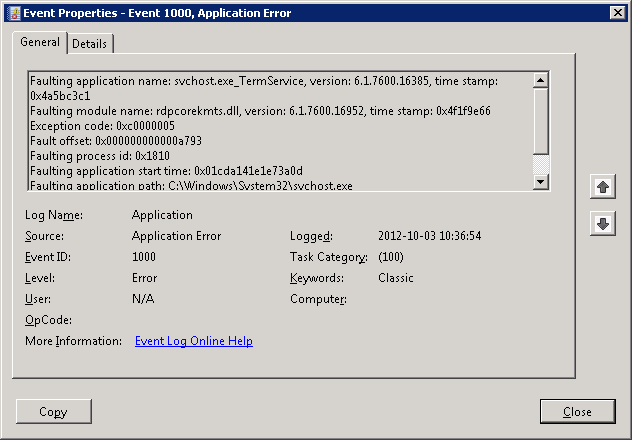
RDP dying after Windows 2008 R2 SP1 update
Ran into this problem this morning when installing Service Pack 1 for Windows 2008 R2. Service Pack installs successfully, but after we couldn’t login via remote desktop services. The fix was easy to deploy…
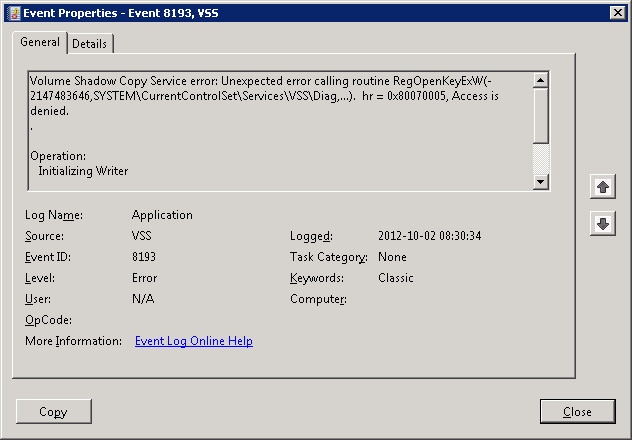
Volume Shadow Copy and DHCP issue
After installing DHCP on Windows Server 2008 R2, you may start to see an error message in the event logs. Inspection of the detailed tab of the event log entry will show information about the process that generated the error…

Setting Option 66 and 67 for DHCP
To get PXE working on a server that is running both DHCP and WDS you need to enable option 66 and option 67. These settings will help your connecting clients to find the appropriate PXE server.

Problems starting WDS after PXE is enabled in SCCM
After setting up a new DHCP server I enrolled the DP role and enabled PXE. However the WDS role would not start, giving me Error 0x2740.
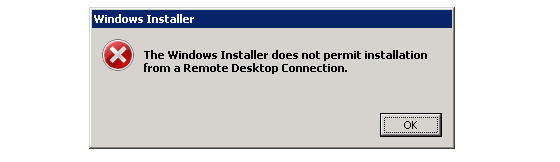
Windows Installer does not permit installation via RDP
When you try to install a MSI-package through a remote desktop (RDP) connection you could get the “Windows Installer does not permit installation from a Remote Desktop Connection” dialog.

SCCM 2012 Back-end scripting
Here is the back end script that does all of the work. I’ve made some comments on the script in efforts to keep this post less wordy and more scripty.
Again if you have any specific questions please let me know.

MDT 2012 Update 1 released!
Microsoft Deployment Toolkit (MDT) 2012 Update 1 was released yesterday.
Some of the key changes in MDT 2012 Update 1 are added support for Windows 8 and Windows Server 2012…
 Articles
- Passwordless GitHub Actions to Azure with Federation
- Real-time Entra ID Break-glass Sign-in Alerts (Part 2)
- Real-time Entra ID Group Alerts with Azure Functions (Part 1)
- End-to-End User Offboarding with Microsoft Graph PowerShell
- Automating Intune Win32 App Packaging with GitHub Actions
- Cleaning Up Stale Entra ID Devices with Microsoft Graph PowerShell