


Managing Azure RBAC Assignments at Scale with PowerShell
As Azure environments grow, keeping role assignments consistent and compliant becomes a significant operational challenge. Drifted permissions, orphaned identities, and undocumented manual assignments all create security risk. Using PowerShell to audit and enforce...
Automating Windows Autopilot Device Enrollment with PowerShell
Windows Autopilot transforms device provisioning from a multi-hour imaging process into a zero-touch deployment experience. When you combine it with PowerShell automation, you can register hardware hashes, assign profiles, and track enrollment status entirely from the...
Configuring Conditional Access Policies with Microsoft Entra ID
Conditional Access is the cornerstone of Zero Trust security in Microsoft Entra ID. Rather than managing dozens of policies by hand through the Azure portal, you can use PowerShell and the Microsoft Graph API to define, deploy, and version-control your policies with...
Automating Intune Device Compliance Policies with PowerShell
Manually configuring Microsoft Intune compliance policies across hundreds of devices is tedious and error-prone. By leveraging the Microsoft Graph API through PowerShell, you can define, deploy, and audit compliance policies programmatically — making your...

Enroll in Azure AD with error 8018000a
The 801800A issue is usually caused by a Windows client thinking it has a enrollment to Entra ID in progress. It will not “time out” so you will have to manually fix this…
Office365 Safe Attachment Delay Report
Recently the Helpdesk have been getting cases about slow delivery times due to Office 365 ATP Safe Attachments. We have created a script to retrieve the data from Exchange Online, and then used Power BI to visualize it.
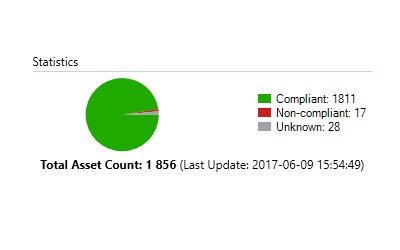
SCCM Baselines: Update Compliance
There are numerous of ways to measure update compliance in an enterprise. Some prefer to just compare the compliance of a Software Update Group against a collection. The issue I’ve found with this is that when you release updates the compliance falls down to 0%…

SCCM Baselines: Intrusion and Theft Protection
This article focuses on the scenario where the laptop/desktop has been lost or stolen, and how to make sure that the local data/credentials are secured/encrypted.
 Articles
- Passwordless GitHub Actions to Azure with Federation
- Real-time Entra ID Break-glass Sign-in Alerts (Part 2)
- Real-time Entra ID Group Alerts with Azure Functions (Part 1)
- End-to-End User Offboarding with Microsoft Graph PowerShell
- Automating Intune Win32 App Packaging with GitHub Actions
- Cleaning Up Stale Entra ID Devices with Microsoft Graph PowerShell