


SCCM 2012 Troubleshooting PXE
PXE booting makes deploying OS images much simpler for end user technicians. There is a lot that can go wrong though, especially if you’re attempting to run it in a high security, heavily filtered network.
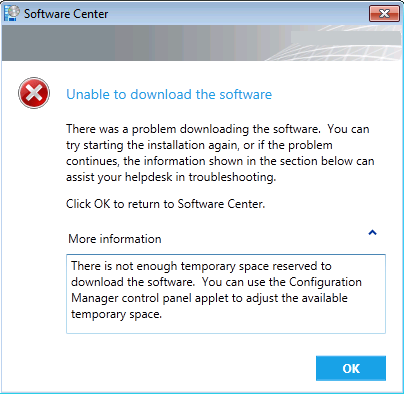
SCCM 2012 Not enough temporary space
There is not enough temporary space reserved to download the software. You can use the Configuration Manager control panel applet to adjust the available temporary space.

WordPress: Page navigation not working
Been struggling with pagenav for my custom WordPress theme for a few days and finally found a working solution…

WordPress: Redirect loop with no category base
After upgrading to WordPress 3.4 category URLs stopped working.
When browsing to address (with Chrome and Firefox) one gets This webpage has a redirect loop.

Task Sequence error 0x00001F40
I created a task sequence to deploy Windows 2008 R2 via SCCM 2012 (MDT integration). After selecting the TS the installation proceeded for about 5 minutes and then gave me the error…
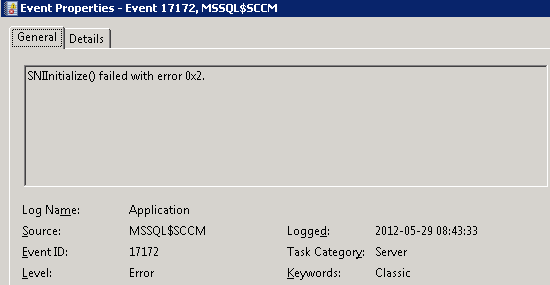
SNIInitialize() failed with error 0x2
The request failed or the service did not respond in a timely fashion. Consult the event log or other applicable error logs for details.
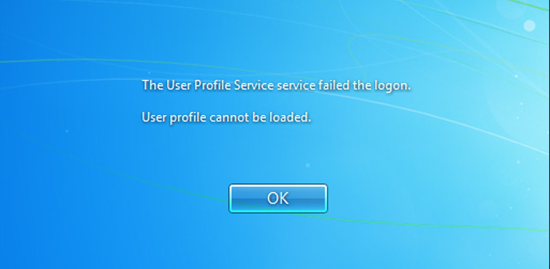
User Profile Service failed the logon
Occasionally, Windows might not read your user profile correctly. Profiles can get corrupted, it’s not really a big deal…
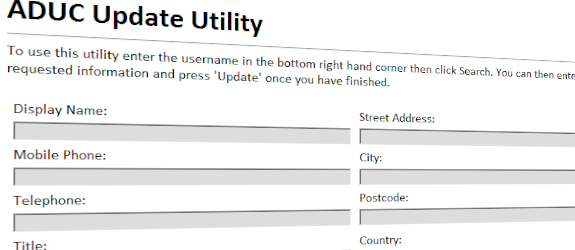
Letting end-user update Active Directory
There might come a time where as a IT administrator you get tired of being asked to update peoples personal information in the Active Directory.
 Articles
- Passwordless GitHub Actions to Azure with Federation
- Real-time Entra ID Break-glass Sign-in Alerts (Part 2)
- Real-time Entra ID Group Alerts with Azure Functions (Part 1)
- End-to-End User Offboarding with Microsoft Graph PowerShell
- Automating Intune Win32 App Packaging with GitHub Actions
- Cleaning Up Stale Entra ID Devices with Microsoft Graph PowerShell